
Organizing files on your PC isn't just about tidiness—it's a productivity booster that saves hours weekly, especially for developers juggling codebases, cloud scripts, and creative assets. This expanded guide dives deep into practical strategies, drawing from proven methods to create a system that's scalable and intuitive. Whether you're managing AWS Lambda functions, Python projects, or gaming clips, these tips will transform chaos into clarity.
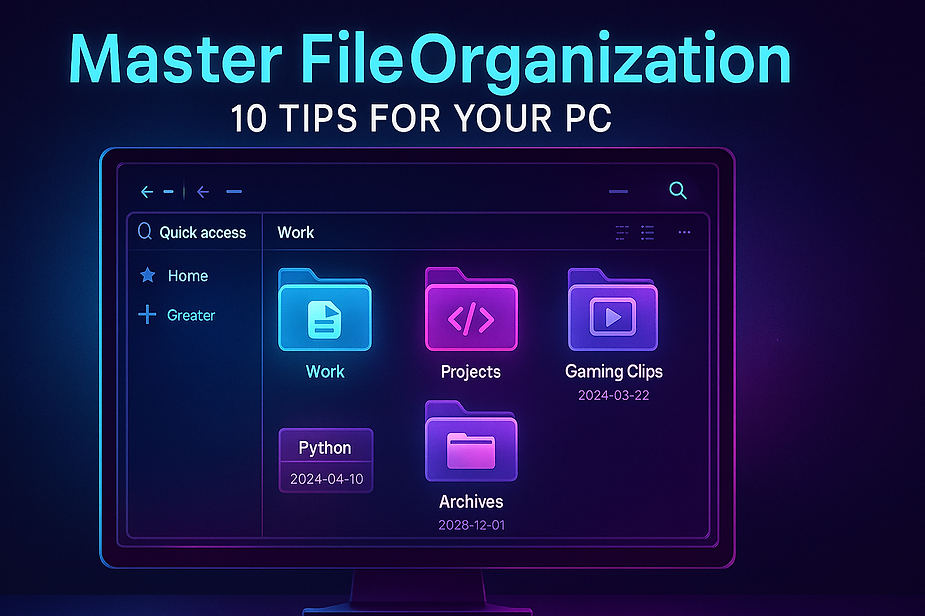
Tips to efficiently organize files
Why File Organization Matters
A cluttered desktop or overflowing Downloads folder leads to lost time—studies show professionals waste up to 2.5 hours daily searching for files. For tech pros like you, working with PostgreSQL dumps, Stripe integrations, or Far Cry video edits, poor organization amplifies errors in deployments or content creation. Efficient systems reduce cognitive load, enable quick backups to AWS S3, and make collaboration seamless via Git repos. Start today, and reclaim your focus.
Build a Logical Folder Hierarchy
Begin with a top-level structure mirroring your life: "Work," "Personal," "Projects," "Media," and "Archives." Under "Work," create subfolders like "AWS_Serverless," "Python_Scripts," and "Salesforce_Integrations." For dated relevance, nest further: "Projects/2026/Python_Automation/2026-02_Lambda_Triggers."
This pyramid approach prevents flat-file nightmares. Imagine drilling down from "Media/Gaming/2026_FarCry" to specific clips—logical paths make everything discoverable in seconds. Customize for your workflow: pin "Cloud_Resources" for AWS Lambda deploys. Avoid over-nesting (max 4 levels) to prevent "folder graveyards." Pro tip: Use emojis in names (📁Work, 🎮Gaming) for visual pop in File Explorer.
Expanding this, consider lifecycle stages. New files land in "Inbox" (alias for Downloads), then get sorted weekly. This mirrors email inboxes like Gmail, proven to boost efficiency by 20%. For developers, segregate by tech stack: "Backend/PostgreSQL," "Frontend/React," ensuring CI/CD pipelines reference stable paths.
Adopt Ironclad Naming Conventions
Names are your files' GPS. Standardize with dates first: "2026-02-11_AWS-Lambda-Invoice-v2.pdf." YYYY-MM-DD sorts chronologically automatically, ideal for time-sensitive logs or BigQuery exports. Replace spaces with underscores: "Stripe_Payment_Script.py" scans better in searches.
Incorporate keywords from your interests— "FarCry_Clip_Edit_Cyberpunk_Style.mp4" or "Patna_Project_GoogleAnalytics_Report.xlsx." Version control manually until Git handles it: "_v1_Draft," "_Final_Approved." Limit to 50 characters; brevity aids readability.
Why obsess over this? Search engines like Windows Spotlight or macOS Spotlight prioritize descriptive names. For SEO content creators, consistent naming aligns with YouTube uploads: "2026-02_GamingTips_Video1_Final." Test by typing partial names—does it surface instantly? Refine until yes.
Pin and Shortcut Power Users
Don't hunt—pin favorites. In Windows File Explorer, right-click "Git_Repos" > Pin to Quick Access. macOS users drag to Sidebar. Create desktop shortcuts for ultra-frequent spots like "Daily_Scripts."
For advanced setups, use symbolic links (mklink in CMD) to mirror folders across drives, syncing local Python envs with cloud backups. Toolbars like Everything (free app) index your entire PC for sub-second searches. Developers: Pin "node_modules" exclusions or Lambda deployment zips.
Master Bulk Cleanup Routines
Chaos builds in Downloads and Desktop. Dedicate 15 minutes Sundays: Sort by "Date Modified," select all pre-2026 files, and distribute. Windows' "Select all matching" grabs "*.py" for Python folder herding.
Hunt duplicates with built-in tools—Storage Sense in Windows 11 auto-detects them—or freebies like Duplicate Cleaner. Archive yearly: Zip "2025_Projects" to an external drive or AWS Glacier for cheap long-term storage.
Automate where possible. Batch rename with Bulk Rename Utility, or script in Python: Use os.walk to traverse, shutil.move based on extensions (".jpg" to Media). Here's a snippet idea:
python
import os, shutilfor root, dirs, files in os.walk('Downloads'):
for file in files:
if file.endswith('.py'): shutil.move(os.path.join(root, file), 'Projects/Python/')
This scales for thousands of files, fitting your backend expertise.
Harness Tags, Metadata, and Search
Tags elevate organization. Windows: Right-click > Properties > Details > Tags ("Urgent," "StripeAPI," "GamingAsset"). Filter views by tag for instant cohorts.
Metadata shines for media—edit EXIF in photos (your photography hobby) with tools like ExifTool: "Patna_Sunset_2026-02-11_FarCryInspo.jpg." Save searches: "tag:AI from:2026" as virtual folders.
Cross-platform? OneDrive or Google Drive syncs tags, perfect for US-India timezone handoffs.
Integrate Automation and Tools
Leverage your Python prowess. Cron jobs (Task Scheduler on Windows) run weekly cleanups. Libraries like watchdog monitor folders, auto-sorting new downloads.
Cloud tie-ins: AWS S3 lifecycle policies mirror local archives. For content creators, Adobe Bridge catalogs gaming assets with AI tagging.
Free tools:
XYplorer: Tabbed explorer with scripts.
Total Commander: Dual-pane power for moves.
DropIt: Rule-based auto-sorters (drop PDF → Invoices).
Cultivate Daily and Weekly Habits
Daily: Zero Desktop at EOD—file or delete. Weekly: Full scan, backup changed folders to GitHub or OneDrive. Monthly: Purge unused (if untouched 6+ months).
Track with a simple log: "Files organized: 150, Time saved: 30min." Gamify via streaks apps. For your lifestyle—coding sprints, video edits—tie to rituals like post-Far Cry session tidy-ups.
Advanced Tips for Pros
Version everything: Even docs get _v1 suffixes pre-Git. Encrypt sensitive Stripe keys folders with VeraCrypt. RAID setups or SSDs for speed.
Multi-device? Syncthing for peer-to-peer sync, no cloud dependency. Monitor with TreeSize Free to visualize space hogs—often forgotten node_modules.
Reap Long-Term Rewards
A organized PC boosts output: Faster debugging, smoother content pipelines, less frustration. Implement 3 tips today—hierarchy, naming, pinning—and build from there. Your future self (deploying that next Lambda flawlessly) will thank you.